 EN
EN FR
FR  DE
DE  IT
IT  PT
PT  ES
ES 

Windows 11 Enterprise: IoT LTSC vs. LTSC
Introduction
Windows 11 Enterprise includes a Long-Term Servicing Channel (LTSC) edition designed for environments that require stability and extended lifecycle support.
For Windows 11, there are two LTSC variants: the standard Windows 11 Enterprise LTSC 2024 (intended for general business use), and Windows 11 IoT Enterprise LTSC 2024 (targeted at IoT devices and industrial scenarios). Both are built on the same Windows 11 Enterprise base, offering equivalent app compatibility, advanced security, and business management features.
However, they differ in terms of support lifecycle, target audience, licensing, and certain specialized capabilities. In this technical blog, we will explore these differences in detail—from support period and typical use cases to licensing, hardware/software compatibility, customization options, corporate security, and technical limitations.
We will also provide real-world examples from industrial and business environments, a visual comparison table of key differences, and a Frequently Asked Questions section to clarify common inquiries.
Support and Maintenance Cycle
One of the most notable contrasts between the two editions is their support cycle.
Windows 11 Enterprise LTSC (standard) has official support for 5 years, in line with Microsoft’s new policy for LTSC in enterprise environments. This means it will receive security and quality updates for five years from its release, but no new features will be added during that period.
On the other hand, Windows 11 IoT Enterprise LTSC retains the 10-year extended support cycle traditionally offered for IoT-targeted LTSC versions. For a full decade, IoT LTSC systems will receive security patches and fixes, ensuring long-term stability.
Why the difference? Microsoft has adjusted its strategy: the standard Enterprise LTSC edition, being focused on business PCs, has 5 years of support to align with more frequent hardware cycles and the cadence of new Windows releases.
In contrast, the IoT LTSC edition is intended for devices with much longer lifespans, such as industrial machinery, ATMs, or digital signage, where a decade of support is crucial.
In summary...
Standard LTSC offers 5 years of support, while IoT LTSC provides 10 years. Both receive monthly quality updates (security patches and hotfixes), but neither receives feature updates during its cycle.
The platform remains static in terms of functionality, which is exactly what is desired in mission-critical environments. Once the support period ends, organizations are expected to migrate to the next available LTSC version (acquiring new licenses if it’s IoT, as we’ll explain later).
It’s worth mentioning that while Windows 11 IoT LTSC offers twice the support time, it’s not advisable to postpone security updates. In both cases, monthly patches must be kept up to date to ensure a secure and stable environment throughout the supported lifecycle.
The difference is that IoT LTSC extends that peace of mind for 10 years—ideal for devices that can’t be frequently replaced or upgraded.
Typical Use Cases
Although internally they are very similar operating systems, each LTSC edition has clearly defined use cases:
Windows 11 IoT Enterprise LTSC 2024
It is geared toward purpose-specific or embedded (IoT) devices—those that perform a fixed function in industrial or commercial environments.
These are the systems found in industries such as banking, healthcare, manufacturing, retail, hospitality, transportation, etc., playing dedicated roles: for example, point-of-sale (POS) terminals, ATMs, interactive kiosks, factory control systems, medical equipment, information panels, logistics devices, among others.
In these scenarios, the priority is long-term stability and feature freeze: the device must run the same OS version for years without changes that could break certifications or integrations.
A real-world example is an MRI machine in a hospital whose software was validated on a specific version of Windows: using IoT LTSC allows that equipment to run the same certified OS for 10 years, receiving only critical patches without being affected by interface or feature changes.
Another case is an industrial production line with embedded PCs controlling robots: frequently updating Windows would be unfeasible, so IoT LTSC ensures a constant and reliable environment for the machinery’s entire lifespan.
Windows 11 Enterprise LTSC 2024 (standard)
This edition is aimed at special enterprise environments, not regular end users, but rather corporate PCs or infrastructure systems that require maximum stability.
It’s typically used in critical or isolated systems within a company: for example, computers that control scientific or lab equipment, workstations in nuclear plants or military settings, internal kiosk servers, or even office workstations with specific needs (such as PCs without internet access dedicated to a single task).
A possible scenario would be an internal information kiosk in a company or an air traffic control system: they benefit from standard LTSC to avoid frequent changes.
Although these machines have conventional PC hardware, their role within the organization is critical or specialized enough to prefer avoiding annual feature updates. Just like the IoT edition, the standard LTSC keeps the same Windows version throughout its cycle, but its use cases lean more toward traditional corporate IT settings (for example, a factory server monitoring sensors where stable Windows 11 for 5 years is desirable).
In summary, IoT LTSC is found in ATMs, industrial machines, embedded terminals, and public kiosks, while standard Enterprise LTSC is used in company equipment with highly specific roles (often offline or with internal certification requirements) where minimizing changes is essential.
Important: Microsoft does not recommend using LTSC on everyday productivity devices or for all employees, as these editions are meant for exceptional scenarios.
Therefore, modern apps (like the Microsoft Store or certain cloud tools) may not be fully compatible with LTSC—an aspect we’ll discuss under Technical Limitations.
Licensing and Availability
Another fundamental difference lies in how these editions are obtained and licensed:
Windows 11 Enterprise LTSC (Standard)
It is distributed through volume licensing for enterprise customers. That is, organizations with volume licensing agreements (such as Enterprise Agreements, Software Assurance, etc.) can obtain installation media and keys for the standard LTSC.
It is not available in retail stores for individual users nor as a pre-installed OEM license on manufacturer PCs; it is a SKU targeted at businesses.
In fact, Microsoft typically requires the customer to meet certain conditions (e.g., Windows 11 Enterprise LTSC is often a benefit for customers with Software Assurance or enterprise contracts, or is sold as an upgrade from Windows Pro under those agreements).
In practice, only companies (or very determined enthusiasts) can access this edition. Microsoft provides evaluation ISOs and allows downloads through its official channels for testing, but for production use, the appropriate license is expected.
Windows 11 IoT Enterprise LTSC 2024
By contrast, it is primarily intended for OEMs and device manufacturers. This was formerly known as "Windows Embedded": Microsoft licenses it to manufacturers who install Windows on their fixed-purpose devices.
Therefore, the typical way to obtain Windows IoT Enterprise LTSC is to purchase a device that already includes it (e.g., an industrial supplier sells a panel PC with Windows IoT LTSC preinstalled and licensed).
This edition is an OEM/embedded channel; the license comes with the device and is usually tied to it (non-transferable to other hardware).
However, Microsoft has opened a path for enterprise customers: organizations that wish to use IoT LTSC on existing fixed-purpose devices can obtain licenses through authorized IoT distributors or special volume programs.
For example, if a company has industrial kiosks with Windows 10 IoT and wants to move to Windows 11 IoT LTSC, they can contact an authorized Windows IoT distributor to purchase the necessary licenses. In general, IoT LTSC licenses are not sold at retail; they are acquired through OEM partners or specialized embedded solution distributors.
Licensing Summary
Standard LTSC = volume licensing for enterprises (currently, Windows 11 Enterprise LTSC 2024 is included in enterprise contracts, not retail). IoT LTSC = OEM/embedded licenses for fixed-purpose devices (obtained via IoT distributors, designed for hardware integrators).
Technically, both editions can be evaluated with 90-day trial ISOs provided by Microsoft, but proper licensing is required for continued use. It is also noteworthy that the IoT edition supports activation via OEM or specific MAK keys, while the standard Enterprise LTSC is typically activated via KMS or volume MAK within the company.
Another related point is geographic and language availability. Windows 11 Enterprise LTSC standard is usually available in multiple languages through volume channels.
The IoT LTSC edition, being OEM, may be language-limited depending on the distributor, although Microsoft provides media in various languages for OEMs. Both editions are available in the N version (without multimedia) in regions such as Europe, if relevant for the organization.
Lastly, it’s worth noting that release cycles may differ slightly: Microsoft plans to release new LTSC versions every few years. In Windows 11, the 2024 version is the first LTSC for both standard Enterprise and IoT.
Future versions (possibly Windows 12 or others) are also expected to have their corresponding standard and IoT LTSC editions. Each new LTSC release is essentially treated as a distinct operating system in licensing terms – especially for IoT, where moving from one LTSC version to the next requires purchasing new licenses.
In the case of standard Enterprise LTSC, customers with active Software Assurance may be entitled to the new version at no extra cost, but otherwise, it is also considered a separate license.
Hardware and Software Compatibility
Although both are Windows 11, there are notable differences in hardware requirements and compatibility due to the distinct nature of their intended use cases:
Hardware Requirements
The standard Enterprise LTSC edition basically follows the same hardware requirements as mainstream Windows 11. This includes mandatory TPM 2.0, Secure Boot enabled, modern UEFI BIOS, at least 4 GB of RAM and 64 GB of storage, and a CPU from Microsoft’s supported list (relatively recent processors).
These requirements ensure security and performance on current PCs. In contrast, Windows 11 IoT Enterprise LTSC offers more flexibility for specialized devices: Microsoft allows it to be installed on less conventional or more limited hardware.
For example, IoT LTSC can run on devices without TPM 2.0, without Secure Boot, and even with legacy BIOS firmware, if the manufacturer permits it.
Reduced minimums are also allowed, such as 2 GB of RAM and 16 GB of storage in optional embedded scenarios. This flexibility is crucial for IoT, as many industrial or legacy devices do not meet modern PC standards.
A control panel with a modest processor and 2 GB of RAM could run Windows 11 IoT LTSC (as long as the manufacturer has validated it), which would not be officially allowed by standard Windows 11.
In summary: IoT LTSC supports older or specific hardware, relaxes requirements for Secure Boot and TPM, and can run in environments where the standard edition wouldn’t even install.
This doesn’t mean any old device will work—there are still minimum CPU requirements compatible with the architecture—but it gives OEMs the margin to use Windows 11 on very basic or atypical hardware (e.g., no screen, only 16 GB of disk space, etc., in IoT gateway-type devices).
Software and Driver Compatibility
In terms of software, there are no major differences in traditional application compatibility (Win32) between the two editions. Since both share the Windows 11 base, any application that works on Windows 11 should work on both LTSC editions, unless the app depends on excluded components (such as the Microsoft Store).
In fact, Microsoft states that Windows 11 IoT LTSC is "natively compatible with the software and solutions you use today" by sharing the Windows 10/11 foundation.
Where differences may arise is with UWP apps or Microsoft Store apps, which are not officially supported in LTSC (the Store is not included). Many modern apps assume a general availability (GA) Windows version with annual feature updates; in LTSC those apps might not be supported or could run only in frozen versions.
For example, Microsoft Office 365 (Microsoft 365 apps) is not supported on LTSC; instead, Office LTSC or perpetual versions are recommended.
On the driver side, both editions accept standard Windows 11 drivers. However, due to the long life cycle of IoT LTSC, it’s possible that in year 7–8, new devices will emerge whose official drivers require a newer Windows version—those drivers wouldn’t be compatible until migrating to the next LTSC version. In practice, drivers designed for Windows 11 22H2/24H2 will work.
One key point: Windows 11 IoT LTSC is also available for ARM64 architecture (targeting IoT devices with ARM chips), while Windows 11 Enterprise LTSC standard is currently only available for x64 (traditional PC architecture). This means that IoT LTSC can be used on specialized ARM hardware (e.g., industrial Qualcomm Snapdragon-based equipment), something the standard edition does not officially support.
Support for Future Hardware
Microsoft notes that LTSC (both editions) will support "the silicon available at the time of release". That is, Windows 11 LTSC 2024 supports CPUs and chipsets available up to 2024; it may not fully support hardware released years later, since it does not receive feature updates with new native drivers.
This is an important consideration: if you plan to use LTSC for many years, you should also lock in the hardware platform or verify the availability of legacy drivers for future devices. In IoT environments, this is managed by maintaining spare units of the same hardware model or confirming that suppliers will continue supporting that OS over the decade.
In summary, IoT LTSC offers greater downward compatibility (older or minimalist hardware) and support for ARM architectures, while standard LTSC aligns with conventional modern PC hardware.
In terms of software, both offer excellent compatibility with classic applications, but limit or exclude modern Store apps. Neither edition includes consumer bloatware (no Cortana, no preinstalled games, etc.), which even improves performance on modest devices.
Customization Capabilities
When it comes to Windows in IoT or specialized scenarios, customization and control of the user experience are key. Here, the IoT LTSC edition shines with additional capabilities designed for integrators:
Lockdown Features (Interface Locking)
Windows 11 IoT Enterprise LTSC includes tools for “lockdown”, meaning the ability to limit the user experience to what is strictly necessary on a public or single-function device.
For example, it allows for a robust kiosk mode, where the device boots directly into a specific application and the user cannot exit or access the traditional desktop.
This includes features like Shell Launcher (replacing Windows Explorer with a custom app at login), Unified Write Filter (protecting the drive by storing changes in volatile memory—ideal for kiosks that must return to a clean state after reboot), Keyboard Filter (blocking key combinations like Ctrl+Alt+Del), among others.
Many of these features existed in Windows 10 IoT/Embedded and continue in Windows 11 IoT LTSC. The standard Enterprise LTSC edition, being essentially the same system, also supports some of these features (e.g., assigning a single-app kiosk mode or using Group Policies to limit menus), but in general, Microsoft positions the IoT edition with the full suite of dedicated device tools.
This means that documentation and support for lockdown scenarios focus on IoT, and certain utilities (such as Embedded Lockdown Manager) may only be available to IoT licensees.
Removable Components and Image Customization
Another advantage of Windows 11 IoT LTSC is the ability to customize the operating system footprint. Manufacturers can start with the base image and remove optional components they don’t need, reducing size and increasing performance/security by minimizing exposed surfaces.
Microsoft has expanded the number of packages that can be removed in Windows 11 IoT LTSC (from 20 in previous versions to 36 removable packages in 2024). These packages include non-essential apps or features that a fixed-purpose device might not require (e.g., help apps, secondary services, etc.).
The standard LTSC edition, although it does not include typical consumer apps, does not emphasize modular removability; companies usually install the image as-is.
In IoT, however, it’s common to use tools like Windows Image Configuration Designer to create a streamlined image tailored to the device.
A real-world example: an ATM manufacturer might strip out all components related to printers, cameras, or OneDrive from the IoT LTSC image if the ATM won’t use them, leaving only the essentials for the banking app. The result is a lighter system with fewer areas to maintain.
In standard LTSC, while some cleanup can be done via PowerShell or policies, it’s not designed for that level of modular customization.
User Interface and Experience
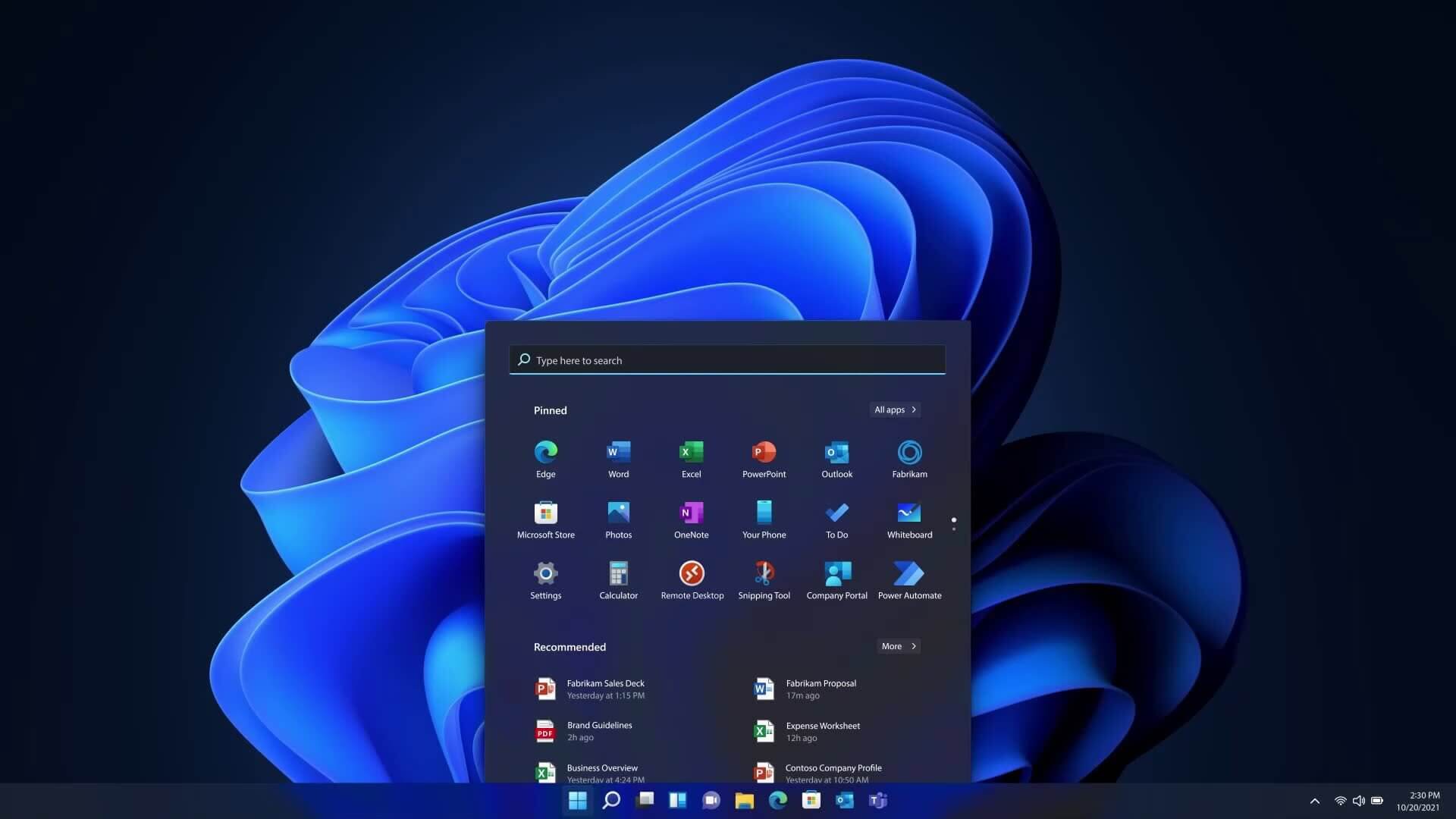
By default, both LTSC editions offer a clean and simplified Windows 11 experience: Start Menu without the dynamic tiles of Windows 10 (it uses the new Windows 11 menu but without Microsoft 365 suggestions, etc.), and no modern pre-installed apps.
Microsoft Edge Chromium is not preinstalled (though it can be installed manually or via policy), and Internet Explorer runs in compatibility mode if needed (IE11 is no longer present as a standalone app). Cortana is also not present as a personal assistant. All of this contributes to a more controlled environment.
IoT LTSC goes even further: it supports “Restricted User Experience” mode, formerly known as Multi-App Kiosk Mode, which allows you to create a Windows 11 environment with a very limited set of applications and a customized menu—ideal for shared or public devices.
This feature enables presenting only authorized options to the end user, avoiding distractions and reducing potential failure or tampering points. While a clever admin could configure something similar in standard LTSC via policy, the IoT edition includes this capability as part of its core documentation.
Ultimately, if your goal is to deeply customize Windows 11 for a specific device, IoT Enterprise LTSC offers more flexibility. You can lock down virtually the entire interface except for your app, remove unnecessary system components, control updates precisely, and ensure the user can’t deviate from the intended task.
The standard LTSC edition, meanwhile, can still be customized via Group Policies and scripts, but it is better suited for traditionally managed desktop environments (for example, it could be joined to an Active Directory domain with standard GPOs).
In a typical enterprise setting, standard LTSC is managed like any other PC (Group Policy, Intune, SCCM), whereas IoT LTSC is typically managed at the OEM image level and with device-specific tools (e.g., MDM solutions adapted for IoT).
Security and Enterprise Management
In the security domain, both editions share most of the Enterprise features of Windows 11, but there are some differences in focus:
Built-in Security Features
Both IoT LTSC and Enterprise LTSC include the advanced security features of Windows 11 Enterprise. This includes BitLocker device encryption, Credential Guard, Device Guard / Application Control (WDAC), Secure Boot (when enabled), virtualization-based protections (VBS, HVCI), and the full Windows Defender stack (antivirus, firewall, etc.).
Therefore, neither edition sacrifices basic security: an IoT kiosk can be encrypted and securely booted just like a PC.
That said, the IoT edition allows disabling requirements such as TPM 2.0 and Secure Boot in order to install on legacy hardware.
This means that, in theory, an IoT LTSC device could operate without those two hardware security anchors; obviously not ideal, but Microsoft leaves the decision to the manufacturer (e.g., in certain isolated industrial scenarios, there may be no TPM and risks are mitigated at the perimeter).
The standard LTSC edition does not offer such flexibility: TPM 2.0 and Secure Boot are mandatory, enforcing a stronger baseline security. In short, IoT LTSC lets you lower the hardware security bar if needed; standard LTSC does not.
Still, Microsoft recommends using TPM and Secure Boot even in IoT wherever possible, and many IoT manufacturers already integrate TPM 2.0 into their current boards.
Management and Domain Integration
Both editions integrate fully with enterprise management environments. They are Windows Enterprise, so they support Active Directory domains, Group Policies (GPO), modern management via Microsoft Intune or other MDM platforms, and configuration through Microsoft Endpoint Manager (SCCM), etc.
A device running Windows IoT Enterprise LTSC can join a domain and appears like any other computer in the admin console, with nearly all the same policies as any Windows 11 system (except for those related to absent components like the Store).
This is important: unlike Windows IoT Core (a minimal shell-less edition from Windows 10), Windows 11 IoT Enterprise LTSC is a full-featured Windows OS and can be managed in the traditional way.
Therefore, IT administrators can apply standard corporate security strategies: enforce password policies, deploy certificates, control USB device access, etc., both on standard LTSC PCs and IoT LTSC devices.
Updates and Patches
In terms of update management, both editions work similarly: they receive monthly cumulative updates (security and quality patches) that can be managed via WSUS, Windows Update for Business, Intune, or whatever tool the organization uses.
Neither forces feature updates, which reduces the need to validate new versions. From a security perspective, this means fewer disruptive changes; however, it’s essential to apply all critical patches on time. In IoT environments, patching may sometimes be delayed to ensure operational continuity—but it’s a calculated risk. Microsoft delivers LTSC patches through standard channels.
One caveat: due to its longer lifecycle, IoT LTSC will receive patches for 10 years, while standard LTSC only for 5.
In enterprises, this means an IoT device could skip up to two Windows generations with continuous support, whereas a standard LTSC PC will need to plan for an upgrade or replacement after 5 years.
Integration with IoT and Cloud Platforms
Windows 11 IoT Enterprise LTSC, as the name suggests, is designed for IoT solutions and often goes hand-in-hand with cloud services such as Azure IoT.
This edition supports the Azure IoT Device SDKs, and Microsoft highlights the easy integration of IoT Enterprise devices with Azure IoT Hub, Device Management, and even Edge Computing scenarios using Azure (e.g., running AI containers on the device via Azure IoT Edge).
The standard LTSC edition is not specifically marketed for this, but technically it can also run those solutions (after all, it's still Windows). The difference lies in positioning: IoT LTSC is sold as part of complete IoT solutions with long-term support for that purpose.
For example, a surveillance solution provider may deploy 100 smart cameras running Windows IoT LTSC connected to Azure; Microsoft guarantees 10 years of patching and easy integration with the cloud platform.
In a typical enterprise environment, a PC with standard LTSC would likely be managed locally or with traditional tools, without such tight integration to IoT services.
In general, there are no “functional security” differences between the editions: both are secure-by-default Windows 11 Enterprise systems, and both give IT full control.
The distinction is contextual: IoT LTSC is intended as part of a managed device ecosystem within IoT solutions (with immutable configurations, lockdown, and remote monitoring), while Enterprise LTSC is simply another flavor of Windows for corporate environments with centralized management.
Relevant Technical Limitations
While Windows 11 Enterprise LTSC (in either variant) brings stability, it is important to understand its limitations to avoid surprises:
No Modern Apps or Microsoft Store
Neither edition includes the Microsoft Store or typical UWP apps (Mail, Calendar, Weather, etc.). By design, LTSC excludes all of that to reduce the surface for changes.
This means that you cannot install apps from the Store, and some apps that depend on the UWP Platform may be unavailable. For example, the “modern” Microsoft Teams app or certain OneNote versions will not work on LTSC, although alternatives exist (Teams has a web version or Win32 client).
This absence is intentional: on fixed-purpose devices, an open app store makes no sense. For businesses, this means that if they use an app distributed exclusively through the Microsoft Store, it won’t work on LTSC (they would need to use an MSI or other packaged version).
Limited Support for Applications and External Tools
Microsoft warns that compatibility with some tools may be limited on LTSC. This includes both Microsoft’s own tools (e.g., certain features of Microsoft Endpoint Configuration Manager or Microsoft 365 Apps are not officially supported on LTSC) and third-party tools expecting a standard Windows version.
A well-known case: Office 365 (Microsoft 365) is not supported on Windows LTSC; the solution is to use Office LTSC 2021/2024 or perpetual Office 2021.
Another example: new versions of frameworks (.NET, PowerShell) may not install on LTSC if they require a newer Windows build, forcing use of compatible versions instead.
In IoT, devices usually run specific software validated by the manufacturer with that Windows version, so this is less of an issue. In enterprise environments, IT must validate that corporate software is compatible with Windows 11 LTSC before adopting it.
No Feature Updates or In-Place Upgrade
Arguably the most important restriction: during its lifecycle, you won’t receive new Windows 11 features in either edition. This means both will remain functionally frozen at Windows 11 version 24H2 (the base for LTSC 2024) for 5 or 10 years.
If Microsoft releases Windows 12 or other enhancements, they won’t reach the current LTSC. The only way to get new features is to migrate to the next LTSC version once released (which typically requires a full system reinstall). You cannot upgrade from LTSC 2024 to LTSC 2027 via Windows Update, for example.
In the case of IoT LTSC, as mentioned earlier, a new license is even required for the next version. This means that when planning LTSC infrastructure, you must also plan a major upgrade or replacement cycle at the end of the support period. Fortunately, 5 or 10 years is a considerable buffer.
Hardware and New Technologies Limited to Launch Date
Related to the above, any hardware or emerging technology released after Windows 11 LTSC 2024 may not be supported until a new LTSC version is available. Hypothetical example: if USB 5.0 is introduced in 2026 and requires native OS support, Windows LTSC 2024 would not receive it, while mainstream Windows editions would via updates.
This is important for long-lifecycle devices. Manufacturers’ drivers may continue to offer support for a while—but not indefinitely. Microsoft states this in its guidance: LTSC supports the silicon available at release and generally does not add compatibility for new CPU families later.
Thus, in critical IoT environments, it’s recommended to freeze both software and hardware throughout the device's life cycle.
IoT Licensing Restrictions
A legal limitation to consider is that Windows IoT Enterprise LTSC, according to its license agreement, must be used on fixed-purpose devices. It is not intended (nor allowed by license) to be installed on a user’s personal laptop or general-purpose PCs. In theory, Microsoft could consider this a license violation.
In contrast, the standard Enterprise LTSC edition must be used on organization-owned devices with the appropriate license; it is also not authorized for personal home use (since it is obtained through enterprise licensing).
These restrictions might not impact technical operation, but they are important for contract compliance and support: a company will not receive help from Microsoft if it installs IoT LTSC on unauthorized hardware or for non-embedded purposes.
Reduced Multimedia and Entertainment Capabilities
Both LTSC editions lack certain consumer-oriented features. For example, the traditional DVD/Media Player is not included (although Windows Media Player can be installed as an optional feature), there is no Xbox Live or game integration, etc.
This generally doesn’t affect corporate or IoT environments (in fact, it’s beneficial to eliminate distractions), but it’s worth mentioning. Especially in IoT LTSC, playing video or audio is still possible, but you’ll need to install the appropriate codecs or enable multimedia features if required (or use the N edition with the corresponding Media Feature Pack).
Summary of Limitations...
Windows 11 LTSC (IoT or standard) is not suitable for those who want the latest Windows features or access to Store apps. It is excellent for stability—but at the cost of freezing the environment in time.
Companies must evaluate whether they can forgo new features and whether their essential software will function well on that static version. In IoT and industrial machines, the answer is usually yes (in fact, freezing is preferred); for general office PCs, LTSC may not be the right fit.
That’s why Microsoft insists LTSC should be reserved for special scenarios. With proper awareness and planning, LTSC provides a solid and dependable platform.
Comparison: Windows 11 IoT Enterprise LTSC vs Enterprise LTSC (Table)
To quickly visualize the key differences between Windows 11 IoT Enterprise LTSC 2024 and Windows 11 Enterprise LTSC 2024 (Standard), see the comparison table below:
| Aspect | Windows 11 IoT Enterprise LTSC 2024 | Windows 11 Enterprise LTSC 2024 (Standard) |
|---|---|---|
| Support Cycle | 10 years of support (monthly security updates for a decade). | 5 years of support (monthly security updates for five years). |
| Target Audience | Fixed-purpose IoT devices in industrial/commercial environments (ATMs, kiosks, machinery, medical devices, etc.). | Specialized enterprise equipment or critical environments requiring stability (isolated PCs, control systems, internal kiosks, dedicated servers). |
| Licensing | OEM/embedded license through authorized IoT manufacturers or distributors. Acquired with the device or via IoT agreements; not available to the general public. | Volume licensing for enterprises (Enterprise Agreements, Software Assurance, etc.). Not sold retail; typically an upgrade for corporate customers with Windows Enterprise. |
| Architecture Availability | Available for x64 and ARM64 (includes version for ARM processors, targeting specialized IoT hardware). | Officially available only for x64 (targeting traditional PCs with 64-bit CPUs supported by Windows 11). |
| Hardware Requirements | Flexible: Can operate without TPM 2.0 or Secure Boot if the device requires it; supports BIOS or UEFI firmware. Allows minimal configs: 2 GB RAM, 16 GB storage for special scenarios. | Standard Windows 11: Requires TPM 2.0 and Secure Boot enabled; UEFI firmware. Minimum 4 GB RAM, 64 GB storage, CPU from Microsoft’s supported list. Generally needs modern hardware. |
| OS Features | Based on full Windows 11 Enterprise, includes all enterprise features. Also includes IoT/Embedded features for lockdown and customization (multi-app kiosk, Shell Launcher, write/keyboard filters, etc.). Supports removal of optional components to reduce image. No Store apps or bloatware included. | Based on full Windows 11 Enterprise with all standard enterprise features. Excludes Store apps and consumer components (similar to IoT in that regard). However, less emphasis on lockdown: IoT tools are not highlighted, though many restriction policies are available via GPO. Image installs as-is, with fewer options for component removal beyond LTSC defaults. |
| Updates | Receives quality updates only (security/fixes). No new Windows features during its 10 years. Must migrate to the next LTSC (new license purchase) to gain new features after that decade. | Receives only quality updates for 5 years, with no new features. After 5 years, upgrade to a newer version is needed to maintain support (if available). May require Software Assurance or new license. |
| Security | Includes all Windows Enterprise security features (e.g., BitLocker, Device Guard, Credential Guard, etc.). Allows relaxed hardware requirements (e.g., can run without TPM if needed). Ideal for protected environments (e.g., closed networks) where physical access is controlled. | Includes all Windows Enterprise security features (BitLocker, Credential Guard, etc.) and enforces hardware-based security (TPM, Secure Boot) by default. Integrates with typical corporate security infrastructure (AD, Azure AD). Emphasizes keeping hardware protections active for “chip to cloud” security. |
| Management | Designed for both centralized management (domain-join, Intune, etc.) and embedded management (preconfigured custom images). Fits IoT solutions with Azure IoT monitoring, and traditional device admin via GPO. | Designed for traditional enterprise IT management: Active Directory domain, Intune/SCCM, Group Policy, etc. Not specifically aimed at IoT cloud scenarios, though technically compatible. Managed like any Enterprise PC, minus feature updates. |
| Typical Use Cases | Devices with long-term fixed functions: industrial machinery, transport systems, digital signage, regulated medical equipment, ATMs, POS terminals, public kiosks, etc. All scenarios requiring a frozen OS and long support. | Special-purpose PCs or servers in enterprises: lab workstations, equipment control, offline servers, internal info kiosks, critical infrastructure (energy, government, etc.) that don’t need frequent updates. Ideal for stable Windows environments for several years. |
| Limitations | Restricted to fixed-purpose devices (licensing limited to IoT/Embedded). Not suitable for general office or personal use. Doesn’t support Store apps or some cloud services made for GA Windows. Must be reinstalled to upgrade to the next version after 10 years. | Only available for controlled enterprise environments (not consumer use). Also lacks Store and modern UWP apps. Not recommended for general-use machines needing continuously evolving apps. No new features until upgraded to next LTSC after 5 years (requires new image deployment). |
(As seen in the table, the key differences center on support, hardware, and IoT-specific functionality. Otherwise, they are more similar than different, sharing the same Windows 11 Enterprise base.)
Frequently Asked Questions (FAQ)
What’s the main difference between Windows 11 IoT Enterprise LTSC and Windows 11 Enterprise LTSC (Standard)?
The main difference lies in their focus and support. IoT Enterprise LTSC offers 10 years of support and is designed for fixed-purpose devices (industrial IoT, kiosks, etc.), distributed via OEMs to manufacturers.
In contrast, Enterprise LTSC (Standard) offers 5 years of support, targets special enterprise scenarios (corporate PCs with critical roles), and is licensed via volume agreements.
Under the hood, they are the same Windows 11 Enterprise, but IoT LTSC has a longer cycle and additional lockdown options, while standard LTSC aligns with business needs under a shorter cycle.
Can I use Windows 11 IoT Enterprise LTSC on a regular desktop or laptop PC?
Technically, yes, it can be installed and run, since it is internally Windows 11 Enterprise. In fact, some enthusiasts use it to benefit from the 10-year support. However, this is not its intended use nor is it licensed for that.
The IoT LTSC edition is legally intended for fixed-purpose embedded devices. Using it on a general-purpose laptop would violate the license terms.
You may also face limitations: you won’t have the Microsoft Store or certain apps, and future drivers for your laptop might not be supported (since IoT LTSC doesn’t receive new feature updates).
For a standard user or employee PC, it’s recommended to use Windows 11 Enterprise LTSC (standard), or more commonly, Windows 11 Pro/Enterprise GA. IoT LTSC should be reserved for its intended IoT scenario. In short: you can, but you shouldn’t—due to licensing and support implications.
How do you obtain each edition of Windows 11 LTSC?
The Enterprise LTSC standard edition is obtained through your organization, if it has volume licensing agreements with Microsoft. There is no retail purchase for individuals; the company must already have Windows Enterprise and LTSC rights (e.g., customers with Software Assurance can request LTSC media).
Microsoft offers a 90-day public evaluation ISO for Windows 11 Enterprise LTSC 2024, useful for testing, but after that period a valid volume key is required for activation.
On the other hand, Windows 11 IoT Enterprise LTSC is acquired by purchasing devices that come with it preinstalled or via authorized IoT distributors if you're an integrator company. There is no store where you can buy a standalone IoT license: you must go through an OEM partner.
However, Microsoft also provides a 90-day evaluation ISO of IoT LTSC 2024 so you can test the system on a device before starting a project. In summary: Enterprise LTSC – via enterprise licensing contract; IoT LTSC – via OEM/IoT distributor.
Do these editions receive updates?
Yes, both receive monthly security and quality updates through Windows Update (or whatever update management tool your environment uses).
What they do not receive are feature updates. That means they will remain on the same Windows 11 version they shipped with. Only cumulative patches for vulnerabilities and bug fixes are applied.
That’s the core idea of LTSC: minimize functional changes. For example, when Microsoft releases new features or the next Windows version, those won’t reach your current LTSC installation. You’ll have peace of mind that nothing will change except for security fixes.
For Windows 11 Enterprise LTSC standard, you’ll receive patches for 5 years; for IoT LTSC, for 10 years. After that period, you’ll need to upgrade to a newer version to continue receiving patches.
What are the limitations of Windows 11 LTSC compared to a regular version of Windows 11?
The main limitation is that it doesn’t include modern apps or the Microsoft Store, which can be restrictive if your organization uses apps distributed through that channel or features like Widgets. It’s also not officially compatible with Microsoft 365 Apps (subscription-based Office).
Additionally, you won’t get new features: the interface and functionality will remain as they were in 2024 for the entire lifecycle. For many, this is not a drawback but a benefit (fewer unexpected changes), but it’s worth noting.
Another limitation is that some third-party tools may not support LTSC if they require the latest Windows version—always check case by case. Lastly, in IoT LTSC editions, driver updates and technical support are typically provided by the device manufacturer, not directly via Windows Update as with general editions.
In summary, LTSC sacrifices new features for stability: it’s not suitable if you need the latest Windows innovations or rely on Store/UWP apps, but it’s excellent if you value a frozen and controlled environment.
Is Windows 11 Enterprise LTSC available for ARM processors?
The Windows 11 IoT Enterprise LTSC edition is available for ARM64 architecture, allowing manufacturers to use it on devices with Qualcomm Snapdragon or other ARM processors (common in low-power embedded systems). In fact, Microsoft offers IoT LTSC for both x64 and ARM64.
In contrast, the Enterprise LTSC standard edition is officially available only for x64 (Intel/AMD 64-bit CPUs). If your project requires Windows 11 LTSC on ARM hardware, the option is IoT Enterprise LTSC.
For general users this has little impact (almost all desktop PCs are x64), but in the industrial IoT space, ARM is common—so Microsoft supports it via the IoT variant.
We hope this comprehensive comparison has clarified the differences between Windows 11 Enterprise IoT LTSC and standard LTSC. Both are powerful options for environments where mainstream Windows 11 is not suitable due to its frequent updates.
In summary: choose IoT Enterprise LTSC when building dedicated devices that must remain stable for a decade, with deep customization and possibly specialized hardware.
Opt for Enterprise LTSC (standard) when your organization has specific PCs or servers that require 5 years of version-stable operation integrated into the corporate IT infrastructure.
Each edition serves its purpose in the ecosystem, and Microsoft has tailored the support model of each to match those goals. With the insights from this article, you can make an informed decision and get the most from the right LTSC edition for your project or organization.




